
Quadify Base Is Now Free: Clean Quad Topology in Blender
Quadify Base, our smart tri-to-quad conversion add-on for Blender, is now free. Here is what it does, and what Quadify Premium, Pro and Ultra add for bigger retopology jobs.
Quadify Base is now free. The core of our Blender retopology toolkit — smart tri-to-quad conversion, mesh health checks and polygon reduction — is available to download at no cost, with no account required. It runs on Blender 4.2 to 5.2 on Windows, Mac and Linux.
This post covers what Base does, and what Premium, Pro and Ultra add on top of it, so you can decide whether the free version is all you need or which edition fits your work.
Quadify Base: free quad conversion for Blender
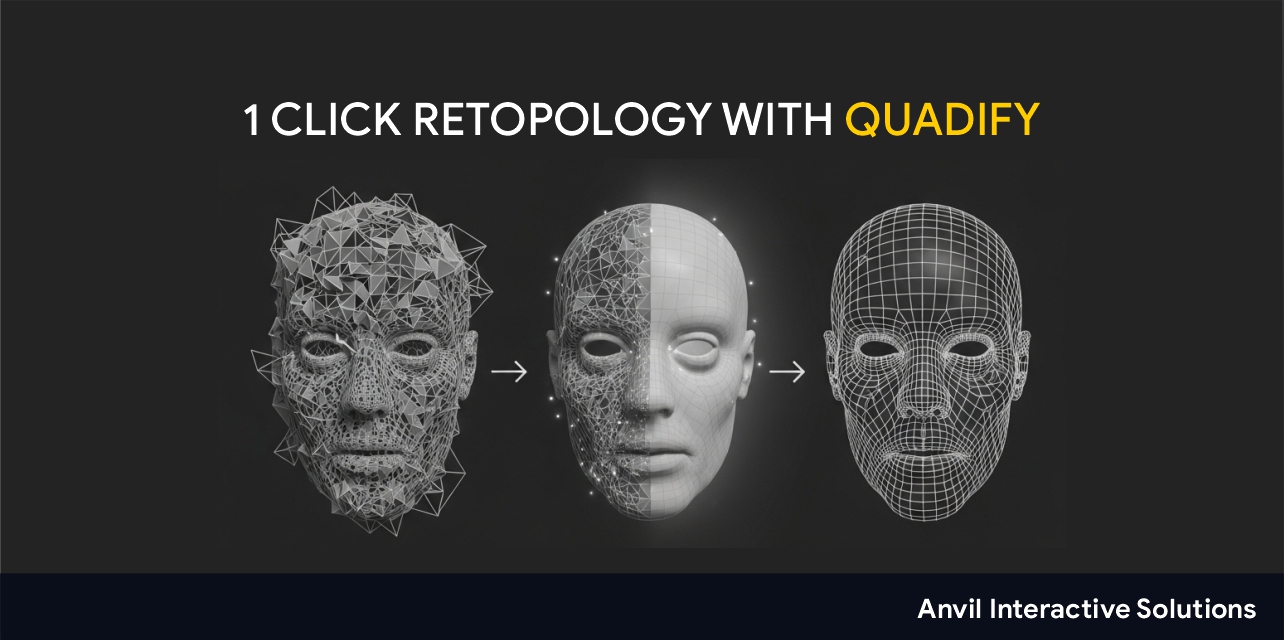
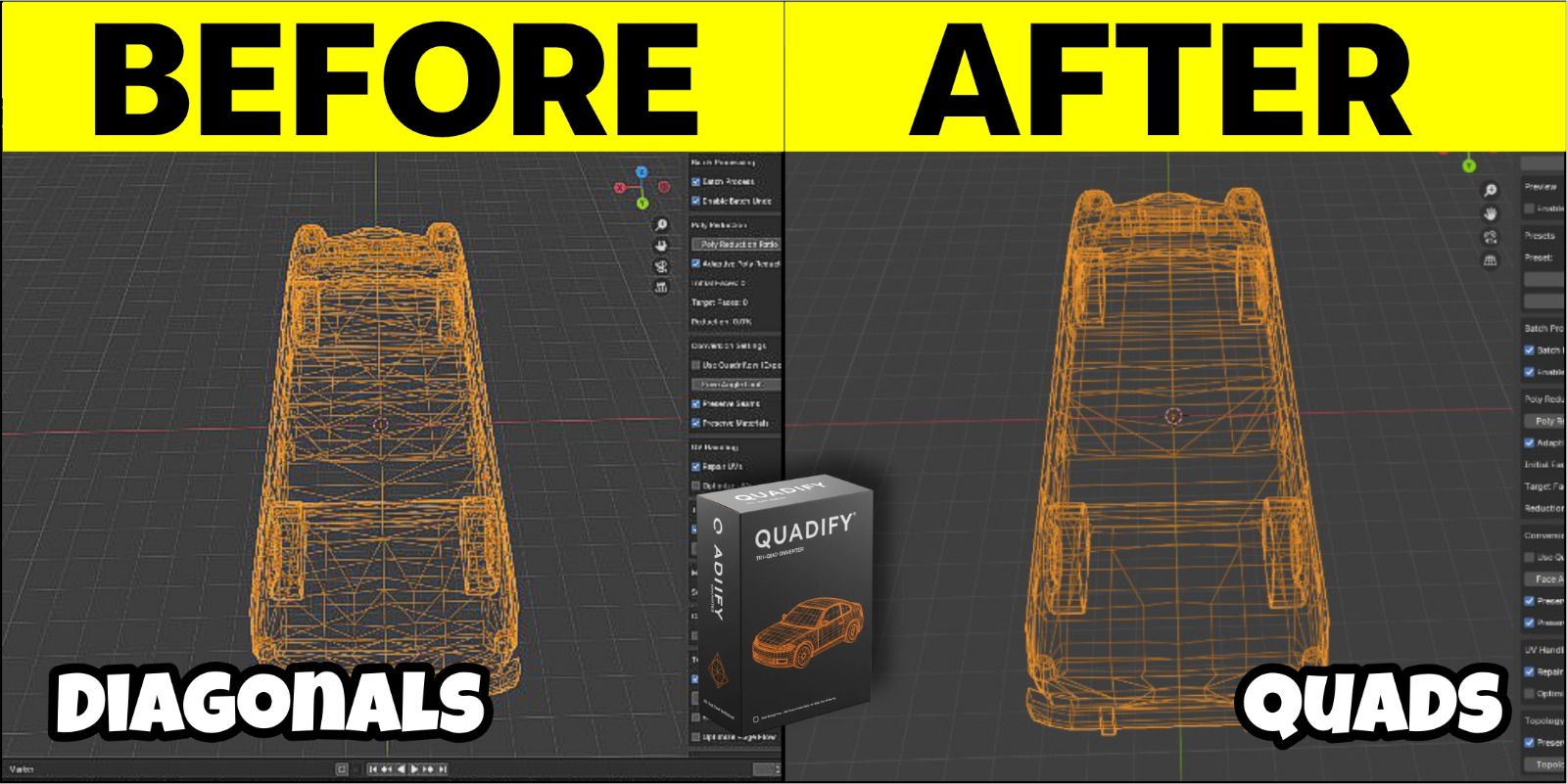
Base converts triangulated, uneven or dense meshes into cleaner, more predictable quad topology inside Blender. It is built for the work that comes after remeshing: rigging, deformation, UVs, baking and asset delivery.
Instead of forcing every triangle into a quad, Base looks at the mesh first. It classifies it as hard-surface, organic, mixed, dense or triangulated and picks a conversion strategy to match. Where a quad would create stretched faces or broken edge flow, it keeps the triangle. The goal is better topology, not just a higher quad count.
What you get for free:
- Smart mesh classification that picks the right conversion strategy for each mesh
- Adaptive tri-to-quad conversion with multi-pass processing for complex meshes
- Hard-surface recovery that preserves sharp edges, material boundaries and UV seams
- Mesh health checks and repair tools to catch problems before they reach your pipeline
- Polygon reduction, with optional two-pass processing
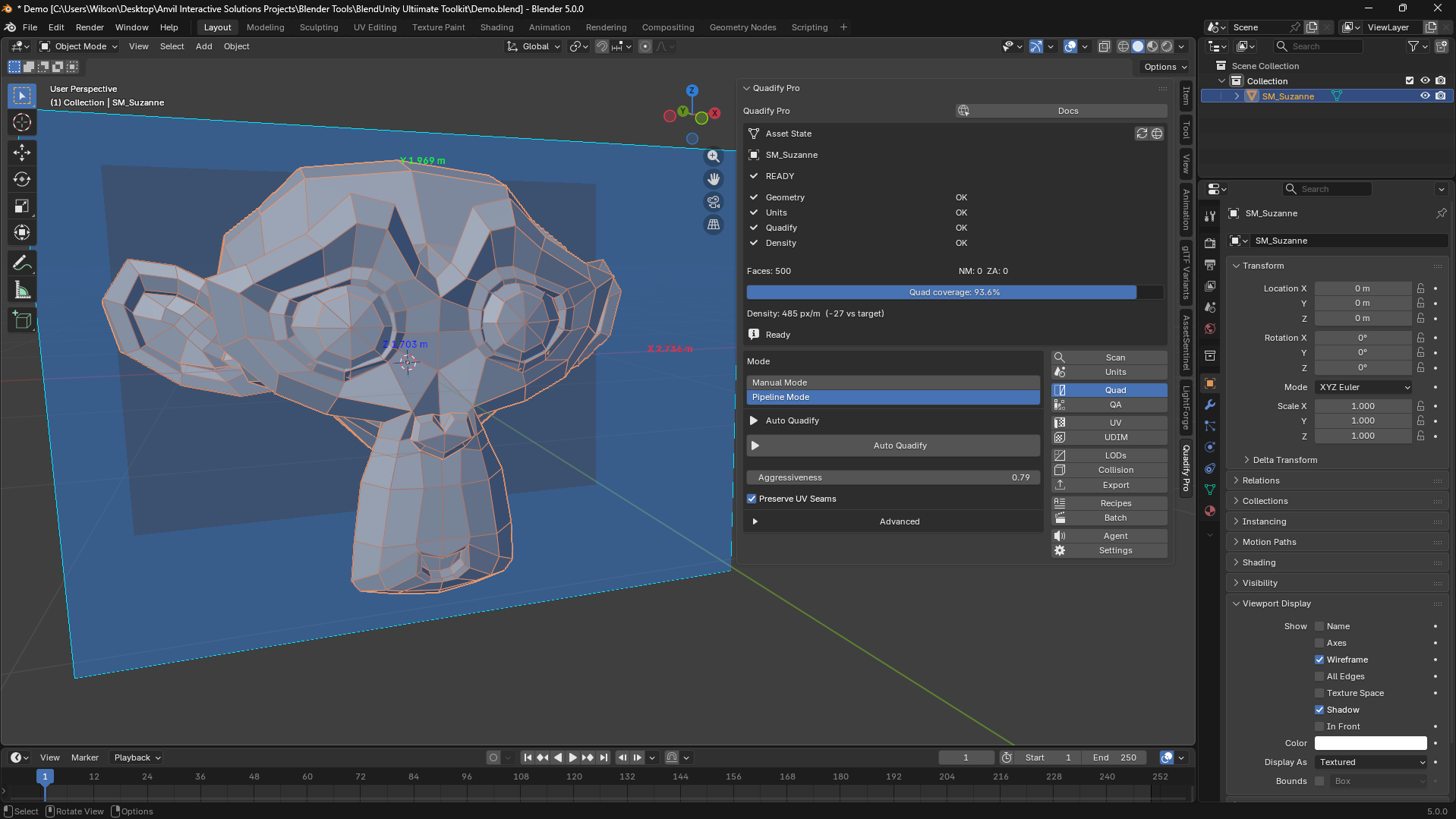
- Quad coverage reporting and a live quad/triangle overlay in the viewport
- Before/after backups, so the original mesh is always safe
- Workflow presets for sculpting, game assets and animation
Download Quadify Base for free
When you need more: the paid editions
Base covers single meshes. The paid editions add control, automation and pipeline tools for larger or harder jobs. Each one includes everything in the edition before it.
Quadify Premium: control over what gets converted
Premium is for artists optimizing asset libraries, scan data and marketplace props who need to keep what is already good. Everything it does is deterministic: the same input produces the same output every time.
- Region-based control. Tag faces as Protect, Focus or Transition in Edit Mode. Protected areas are never touched, Focus areas get aggressive conversion, and Transition blends between them. Auto-tag can assign regions from UV seams, sharp edges and curvature, and a live overlay shows the regions before you run anything.
- Density Target. Reduce meshes to a world-space density (triangles per square metre) instead of an arbitrary ratio, so a whole prop library ends up consistent.
- LOD generation with Gentle, Balanced and Aggressive profiles, estimated face counts before you run, and Unity, Unreal or simple naming conventions.
- Batch processing across selected objects, saved presets, and JSON report export.
- Adaptive conversion that detects scans, hard-surface and mixed meshes and adjusts its threshold automatically.
Premium needs Blender 4.4 or newer. It is a one-time purchase with lifetime updates.
Quadify Pro: a full mesh pipeline, with an AI agent
Pro turns Quadify into a production pipeline for scan data, AI-generated geometry, photogrammetry and CAD imports.
- AI Agent Mode. Describe the job in plain English, for example "Convert to quads, reduce to 15k faces, then generate 3 LODs". The agent reads your mesh data first, shows you a step-by-step plan with confidence scores, and runs only after you approve it. Every step can be undone individually, and safety guards block remeshing on CAD and hard-surface meshes unless you ask for it. It uses your own Claude or OpenAI API key (typically well under a cent per run), and only your instruction and anonymous mesh statistics leave your machine.
- Finer conversion control. Quadify only the faces you select, and recover more quads with a second, tighter pass. Relaxation keeps boundary loops, UV seams and sharp edges locked.
- Pipeline tools. LODs with silhouette protection, texel density normalization and UDIM packing, UV unwrapping with seam control, collision meshes, and export presets for game engines.
- QA and repair. Heatmaps and HTML reports, plus Scan & Fix to remove doubles, fix normals, fill holes and remove loose geometry.
- Unit & Scale Doctor to normalize units, apply scale and fix unapplied transforms before export.
Pro needs Blender 4.4 or newer. Agent Mode is optional and needs your own API key; everything else works without one.
Quadify Ultra: machine-learning routing and full retopology
Ultra is for the hardest inputs: AI-generated tri-soup, photogrammetry, CAD imports and boolean results. It detects what kind of mesh it is looking at, picks the right algorithm and processes it in one click.
- Six algorithms, routed automatically. From edge-flip conversion that never moves a vertex, to hard-edge preserving conversion for CAD, to full retopology with the bundled QuadWild engine for characters. The ML router chooses; you can override it at any time.
- Reference-driven retopology. Point Ultra at a clean mesh, such as a hand-retopologized character or your studio's approved base mesh, and it rebuilds new assets in the same topological style.
- Loop flow intelligence. Builds a flow field from surface curvature to align diagonals or guide the remesh, with more faces where the surface curves and fewer where it is flat.
- Semantic mesh understanding. Recognizes part types such as body panels, wheel arches, faces, rocks and terrain, and applies the right topology strategy, with a confidence score and one-click override.
- Animatability Score. Before you rig, get a 0–100 score for each joint zone, a prioritized fix list and a heatmap painted on the mesh.
- AI Agent Mode with 17 operations, plus batch processing, a topology QA heatmap and before/after comparison.
Ultra needs Blender 5.0 or newer. All retopology features work offline; Agent Mode is optional. Full QuadWild retopology is currently Windows only.
Which edition should you choose?
- Start with Base if you convert individual meshes and want cleaner quads without cleanup. It is free, so there is nothing to lose by trying it on your own assets first.
- Choose Premium if you work through libraries of props or scans and need consistent density, protected regions and LODs.
- Choose Pro if you deliver game-ready assets and want UVs, collision, texel density, QA reports and export handled in one place, or want to drive it all with plain-English instructions.
- Choose Ultra if your inputs are AI-generated, scanned or CAD meshes that other tools struggle with, or you need full character retopology that matches a reference.
Launch offer: Premium, Pro and Ultra are 50% off until October 24, 2026.
Working in Unreal Engine too? Quadify Base for Unreal is also free: it runs a 17-point QA check on imported static meshes and prepares them for production.
Documentation for every edition is at quadify3d.com.
Tools mentioned in this article
Product availability and pricing may change.
 Free
FreeBlender · macOS · Linux · Windows
Quadify Base
Blender · macOS · Linux · Windows
Free. Smart tri-to-quad conversion, health checks and polygon reduction.
 On sale
macOS · Blender · Windows
Quadify Premium — Region-Aware Mesh Optimization for Blender 4.4+
macOS · Blender · Windows
Protected regions, density targets, LODs and batch processing.
 On sale
Blender · macOS · Windows · Linux
Quadify Pro — Tri-to-Quad Retopology & Mesh Pipeline for Blender
Blender · macOS · Windows · Linux
Full pipeline: UVs, collision, texel density, QA reports and AI Agent Mode.
.jpeg) On sale
On saleBlender · macOS · Windows · Linux
Quadify Ultra — ML-Routed Retopology for Blender 5.0+
Blender · macOS · Windows · Linux
ML-routed algorithms, reference-driven retopology and Animatability Score.
Common questions
Is Quadify Base really free?
Yes. Quadify Base is free to download from The Anvil Store with no account required, and there is no trial period.
Which Blender versions does Quadify support?
Quadify Base supports Blender 4.2 to 5.2 on Windows, Mac and Linux. Premium and Pro need Blender 4.4 or newer, and Ultra needs Blender 5.0 or newer.
Do I need an AI API key to use Quadify Pro or Ultra?
No. Agent Mode is optional and uses your own Claude (Anthropic) or OpenAI key. All other features work without a key, and Ultra’s retopology features work offline.
Are the paid editions subscriptions?
No. Premium is a one-time purchase with lifetime updates, and Pro and Ultra are also one-time purchases.
Official references and further reading
Comments
Loading comments…