
Plugins And Source Code
WebInspect by Elevven11
WebInspect by Elevven11 Studio WebInspect tells you how a website is built and how well it is built. Open a page, click WebInspect, and get a practical report on its technology, SEO, accessibility, performance, mobile re…
WebInspect by Elevven11 Studio
WebInspect tells you how a website is built and how well it is built.
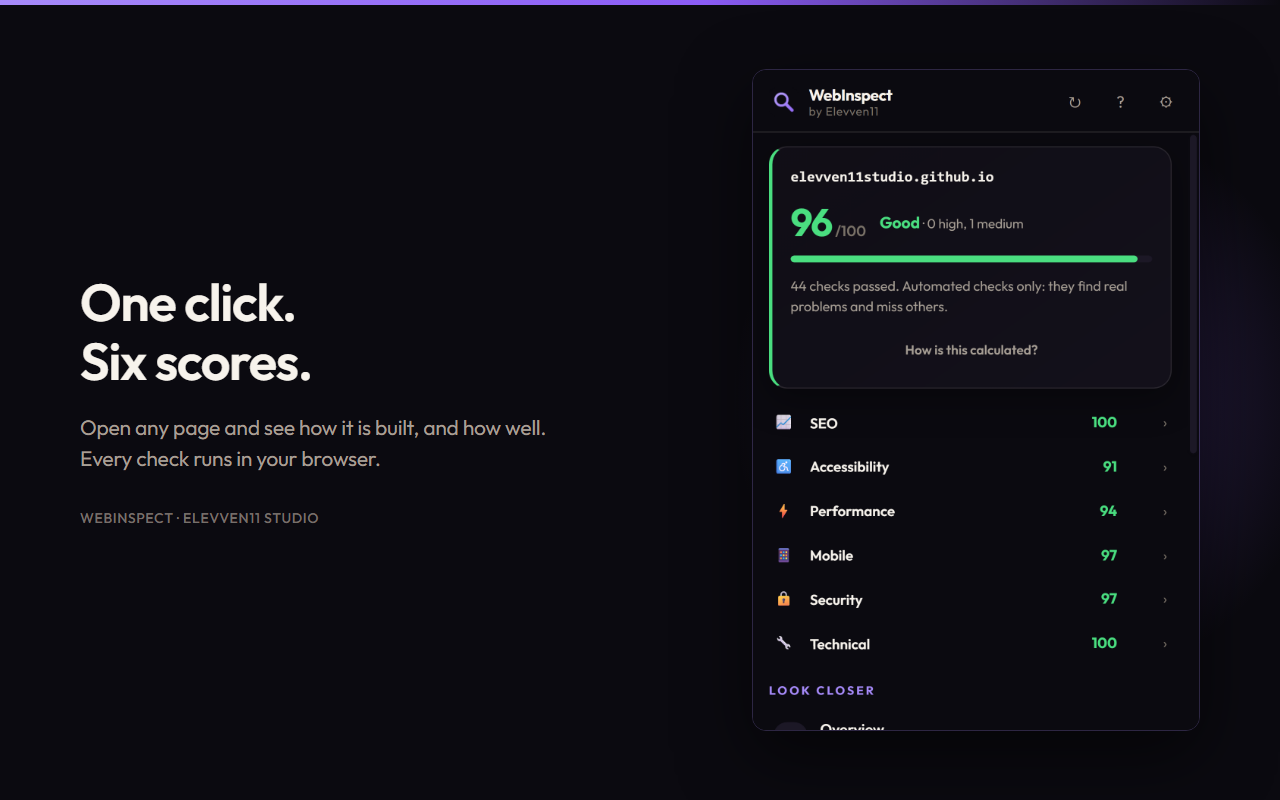
Open a page, click WebInspect, and get a practical report on its technology, SEO, accessibility, performance, mobile readiness, security configuration, and content.
Every check runs inside your browser. There is no account, no server, and nothing uploaded.
What It Reports
1. Overview
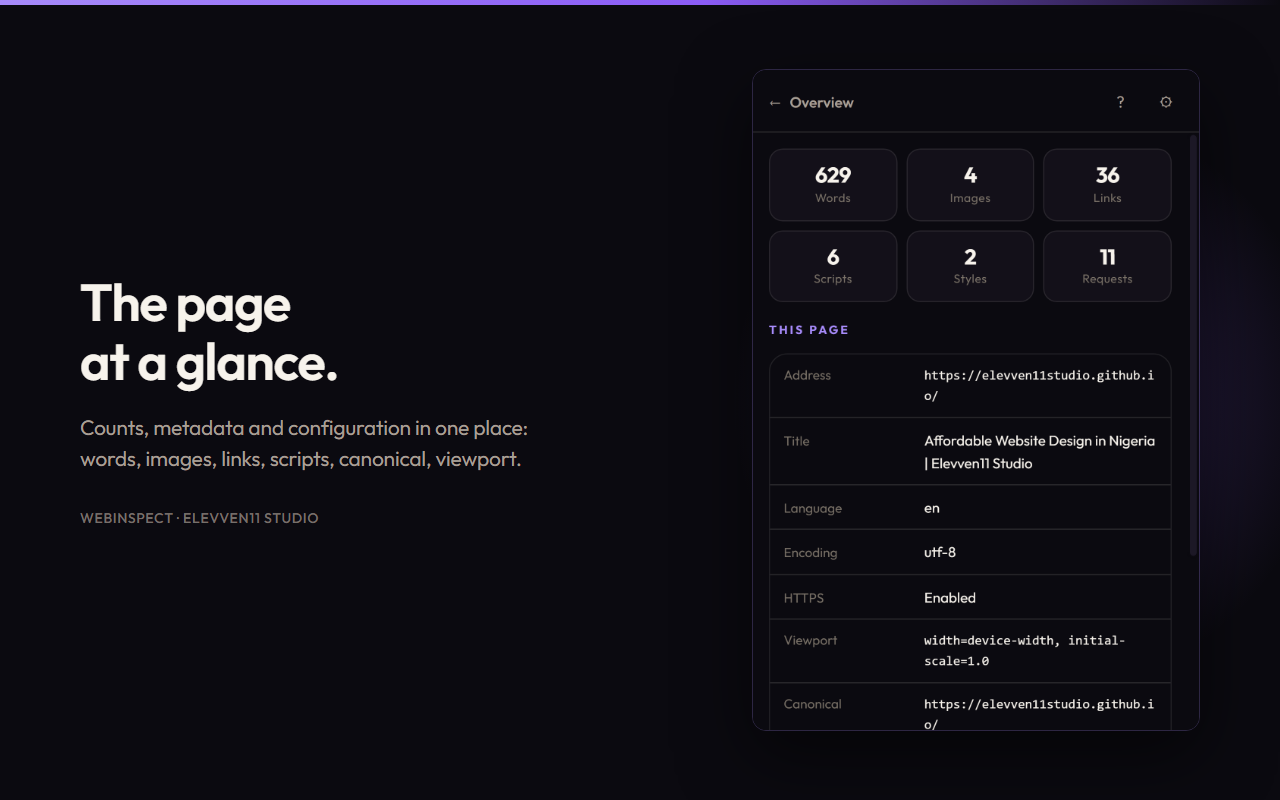
Get a snapshot of the page, including:
- URL, title, language, and encoding
- HTTPS, canonical URL, robots directives, and viewport
- Word, image, link, script, and stylesheet counts
- Request totals and transferred bytes
2. Technology Detection
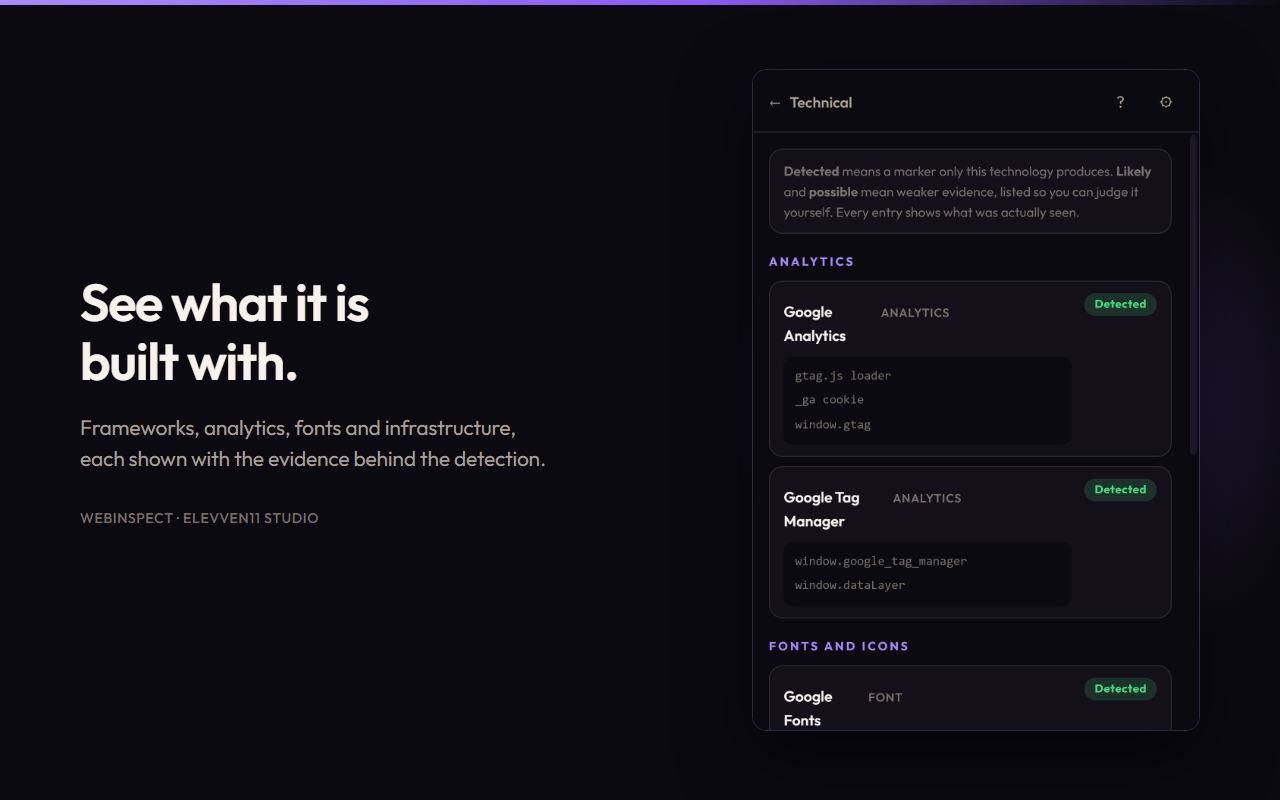
Identify technologies used by a website, including:
- Frameworks and content management systems (CMS)
- E-commerce platforms
- CSS frameworks and JavaScript libraries
- Analytics and payment providers
- Infrastructure and fonts
Each detection includes supporting evidence and is rated Detected, Likely, or Possible, rather than being asserted as fact.
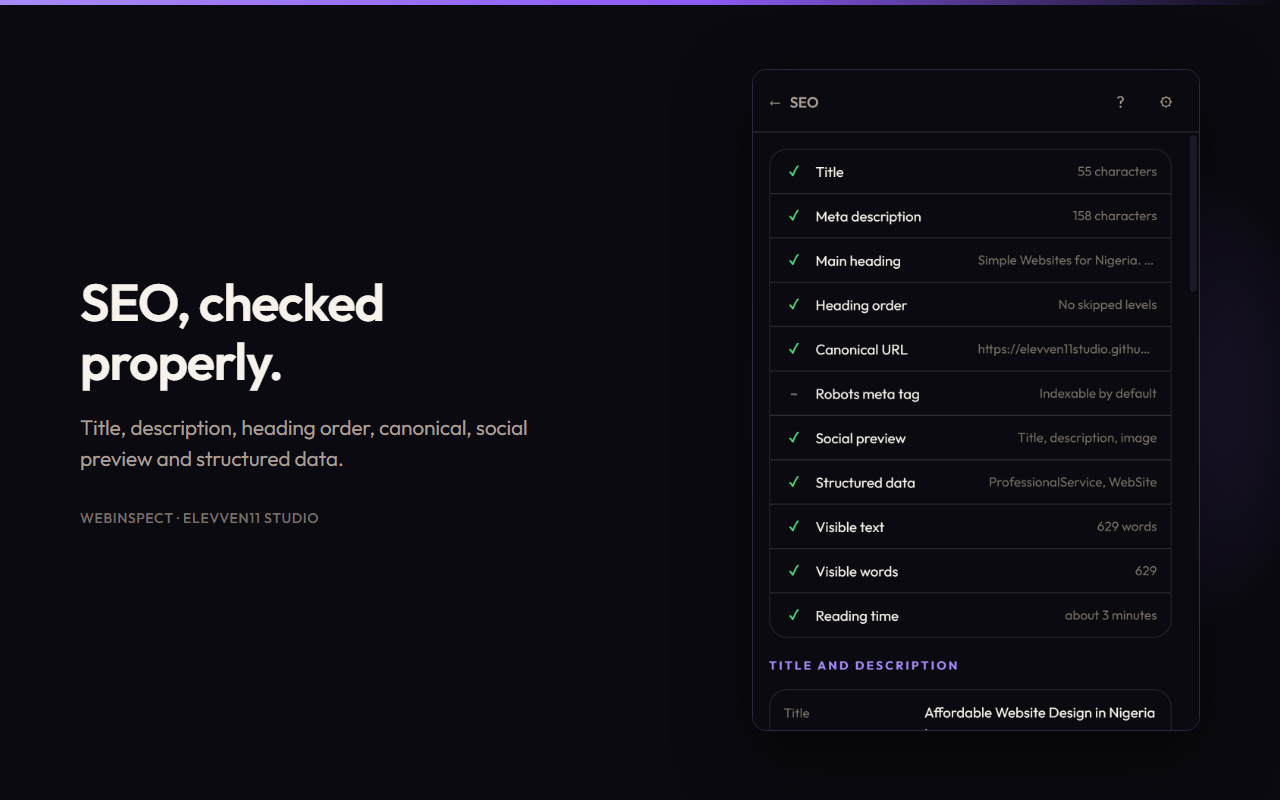
3. SEO Analysis
Review important search engine optimization elements:
- Page title and meta description
- Heading structure
- Canonical URL and robots directives
- Open Graph and Twitter tags, with a card preview
hreflanglanguage alternates- Structured data types
- URL structure
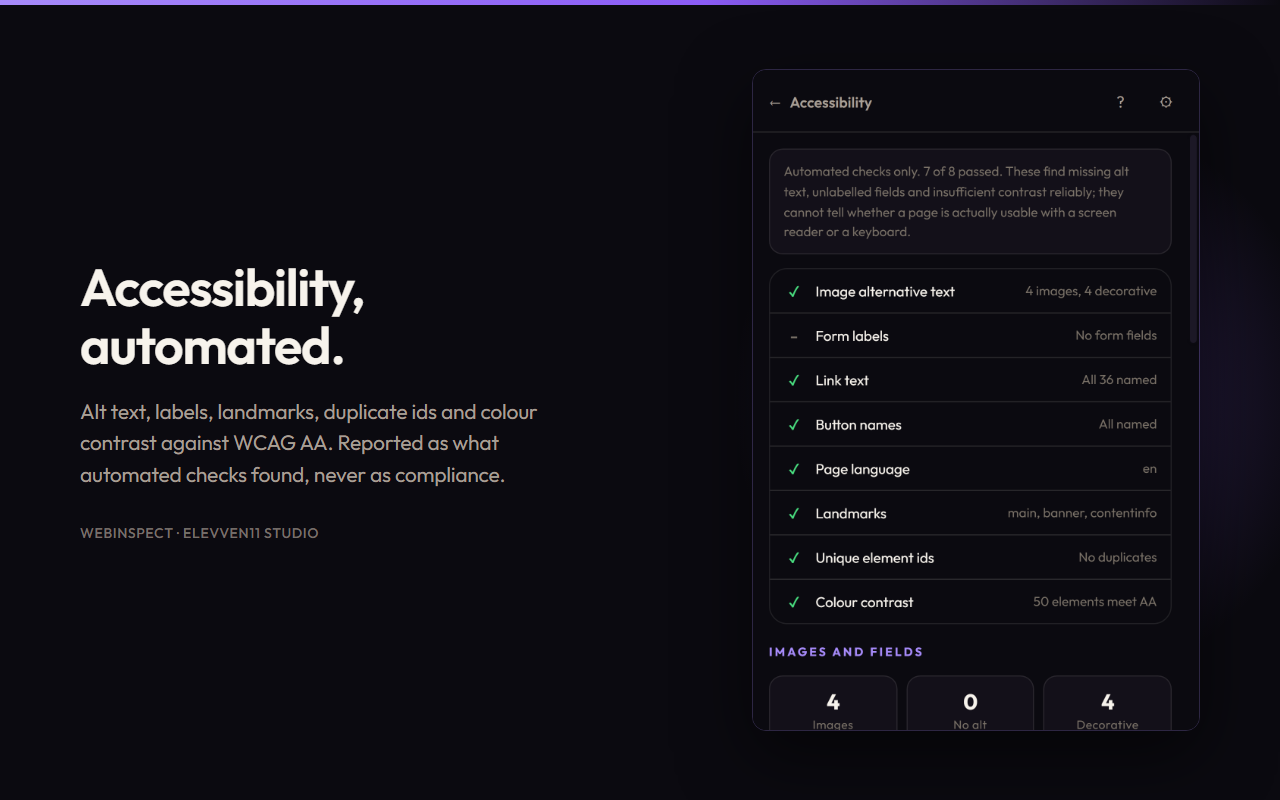
4. Accessibility Checks
Examine common accessibility issues, including:
- Missing image alt text
- Form labels and link or button names
- Page language and landmarks
- Duplicate IDs and ARIA references
- Roles and
tabindex - Iframe titles and video captions
- Focus indicators
- Colour contrast against WCAG AA criteria
Results describe what automated checks found; they do not claim to prove full accessibility compliance.
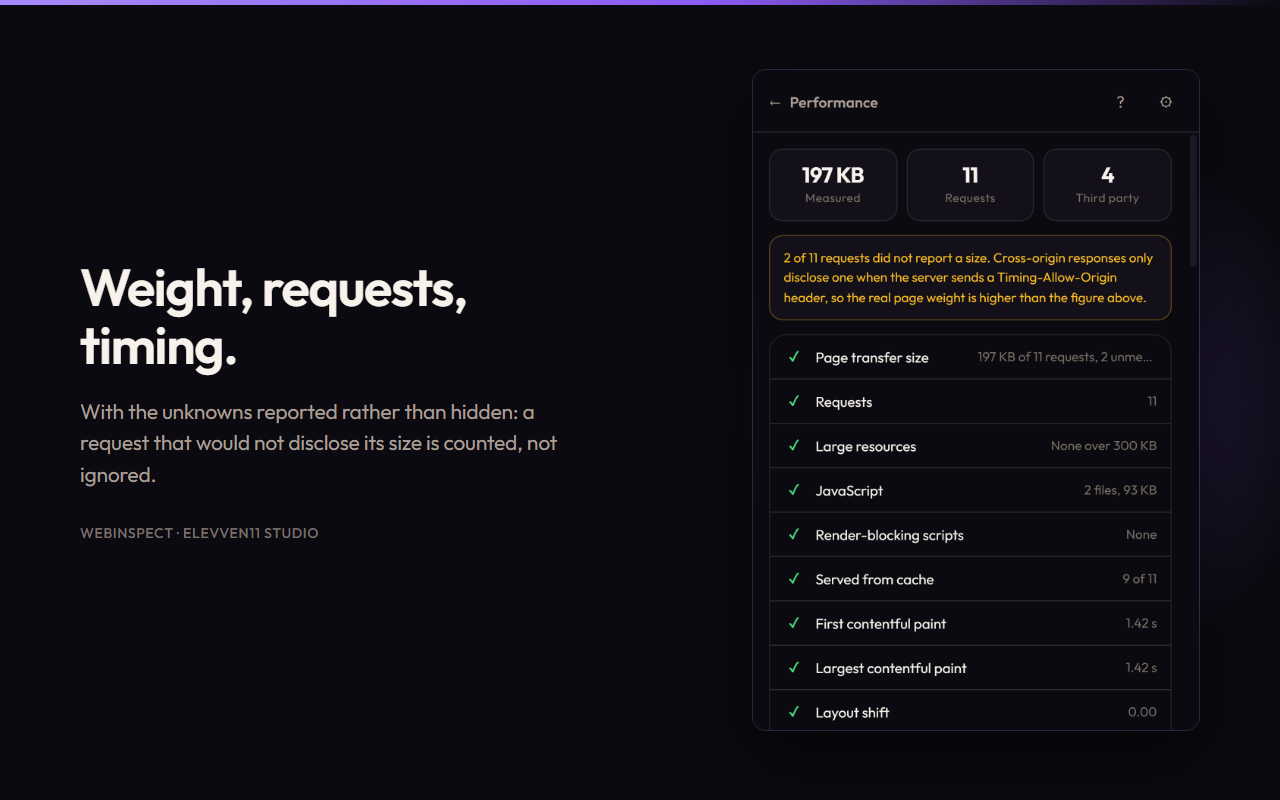
5. Performance Analysis
Inspect resource usage and page-loading behaviour:
- Resource counts and sizes by type
- Largest and slowest resources
- Render-blocking scripts
- Cache hits
- Server response time
- First paint and Largest Contentful Paint (LCP), including its element
- Layout shift and DOM ready timing
Paint and layout shift measurements represent one reading of the current page load, not the field data used by search engines.
6. Mobile Readiness
Check for common mobile usability problems:
- Viewport configuration
- Zoom restrictions
- Horizontal overflow
- Fixed pixel widths
- Touch target sizes
- Text that may be too small
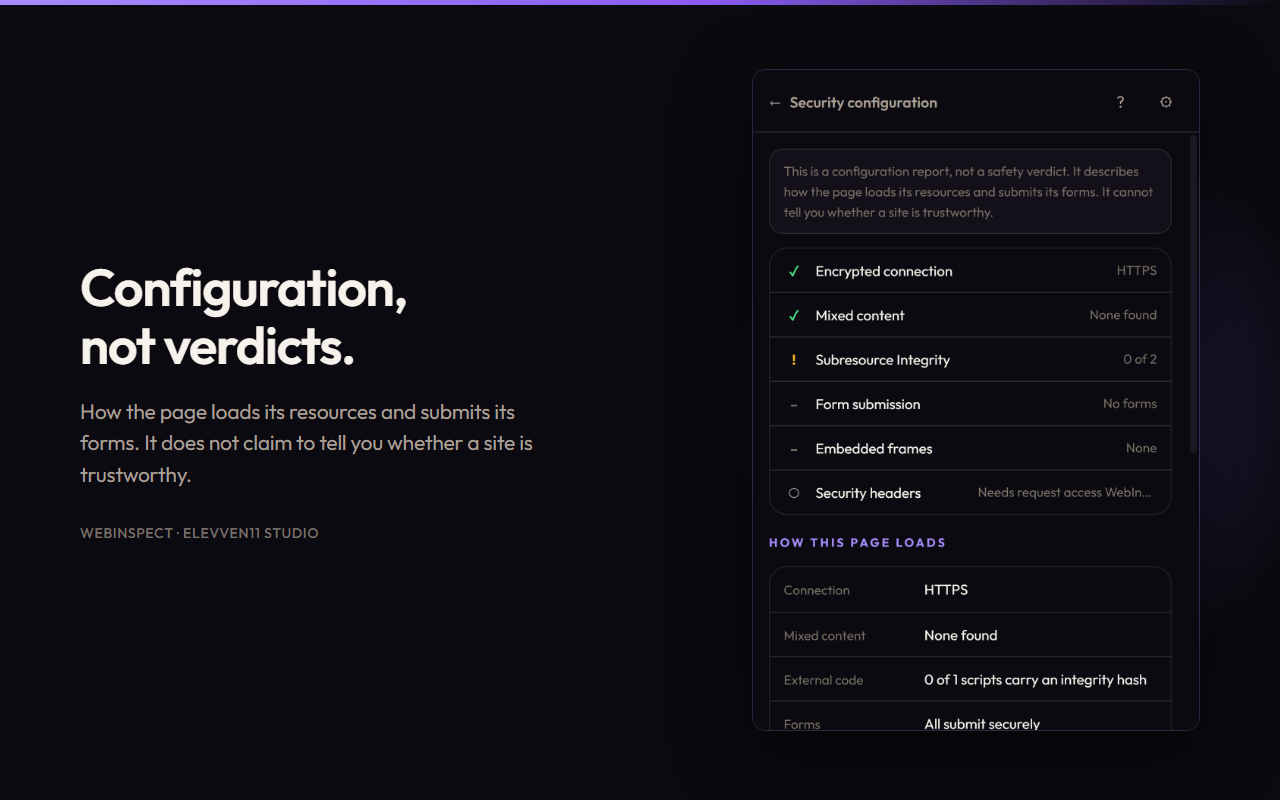
7. Security Configuration
Review visible security-related configuration, including:
- HTTPS
- Mixed content
- Subresource Integrity (SRI)
- Form submission destinations
- Iframe sandboxing
- Insecure links
These checks provide useful indicators, not a guarantee that a website is secure.
8. Content and Links
Understand the page's content and link structure:
- Word and paragraph counts
- Estimated reading time
- Link classification
- Actual destinations of external links
What You Can Do With It
WebInspect lets you work with your findings directly:
- Highlight findings on the page to locate issues.
- Export reports as JSON or CSV.
- Copy a summary in plain text.
- Print a report and save it as a PDF.
- Check links optionally to see whether they still resolve.
Built to Be Honest
A check that could not run is not a failure.
WebInspect reports five outcomes:
- Passed — The check passed.
- Issue — A potential problem was found.
- Not found — The expected element or information was not found.
- Could not check — The check could not be completed.
- Not applicable — The check does not apply to the page.
A page Chrome will not let WebInspect read has not failed a check. Categories with nothing to measure receive a null score rather than zero, and their weight is distributed across the remaining categories.
Colour contrast returns no ratio when a reliable measurement cannot be made, rather than presenting an incorrect value.
Accessibility results are described as "automated checks found", never as proof of compliance. Every finding includes its supporting evidence, so you can review the result and challenge it when WebInspect gets something wrong.
Privacy by Design
Nothing is uploaded because there is nowhere to upload it to.
- No account, analytics, or telemetry.
- No content script in the manifest. WebInspect does not run on a page until you request a report.
- Page text is counted, never stored. The word count is saved as a number, not as the words themselves.
- Form structure is read, but form values are never read.
- No browsing history is kept.
- Local storage contains your settings and a cache of recent reports that expires within minutes.
Sensitive Sites Are Skipped by Default
WebInspect declines to read 522 well-known sites unless you explicitly ask it to. These include large platforms and pages that routinely contain personal information, such as:
- AI assistant chats
- Webmail and cloud storage
- Password managers
- Banking and payment services
- Health and government websites
The check happens before the page reader is injected. A skipped page is never read and then discarded.
You can inspect any of these sites once or disable skipping entirely from the popup.
Permissions Stay Under Your Control
WebInspect does not request host permissions during installation. Permissions are requested only if you enable automatic inspection or link checking, and you can withdraw them from the settings page at any time.
Keyboard Shortcut
Press Ctrl + Shift + U to open WebInspect on the current page.
Chrome reserves Ctrl + Shift + I for Developer Tools, so that shortcut is unavailable to extensions.
You can change the shortcut at:
chrome://extensions/shortcuts
Free, and Staying Free
WebInspect is free and will remain free.
The extension includes one house advertisement for Elevven11 Studio at the bottom of the popup, clearly labelled "Ad". It is served from a list bundled inside the extension.
Opening the popup makes no network request and does not notify anyone that it was opened. One click turns the advertisement off permanently.
From Elevven11 Studio
WebInspect is built to help developers, designers, website owners, and curious users understand websites with practical, evidence-based reports — directly in their browser.
Inspect smarter. Understand better. Build better websites.