
Pipeline And Automation
Before & After
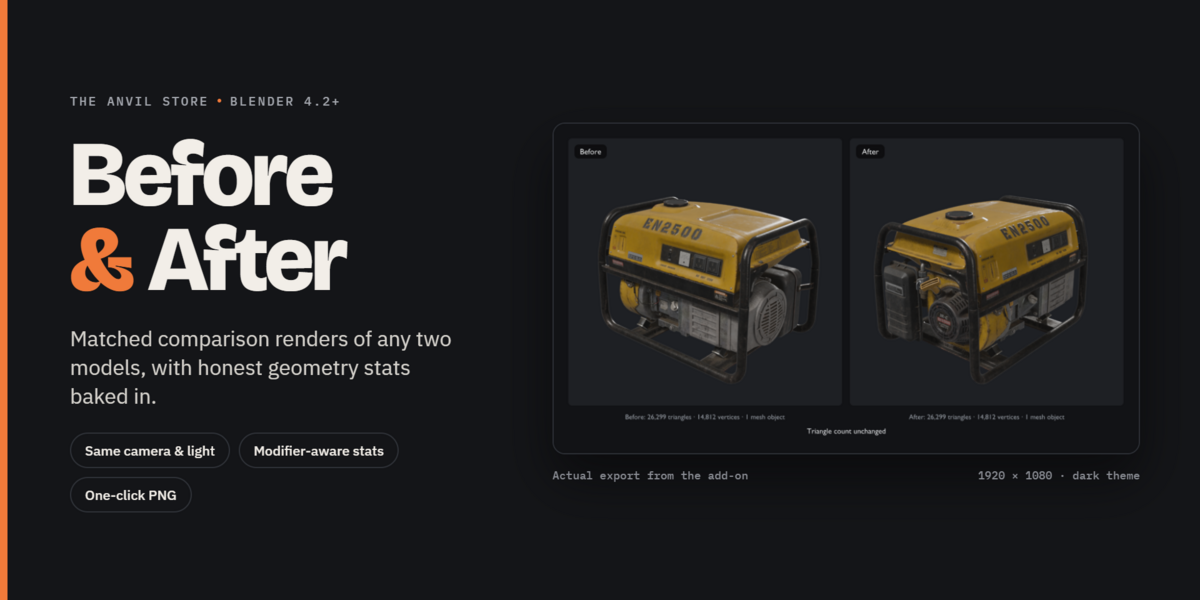
BLENDER ADD-ON · 4.2 LTS+ Before & After Show your optimization work without spending an hour setting up renders. Decimated a hero asset? Retopologized a sculpt? Built an LOD? Before & After turns the original and the ne…
BLENDER ADD-ON · 4.2 LTS+
Before & After
Show your optimization work without spending an hour setting up renders.
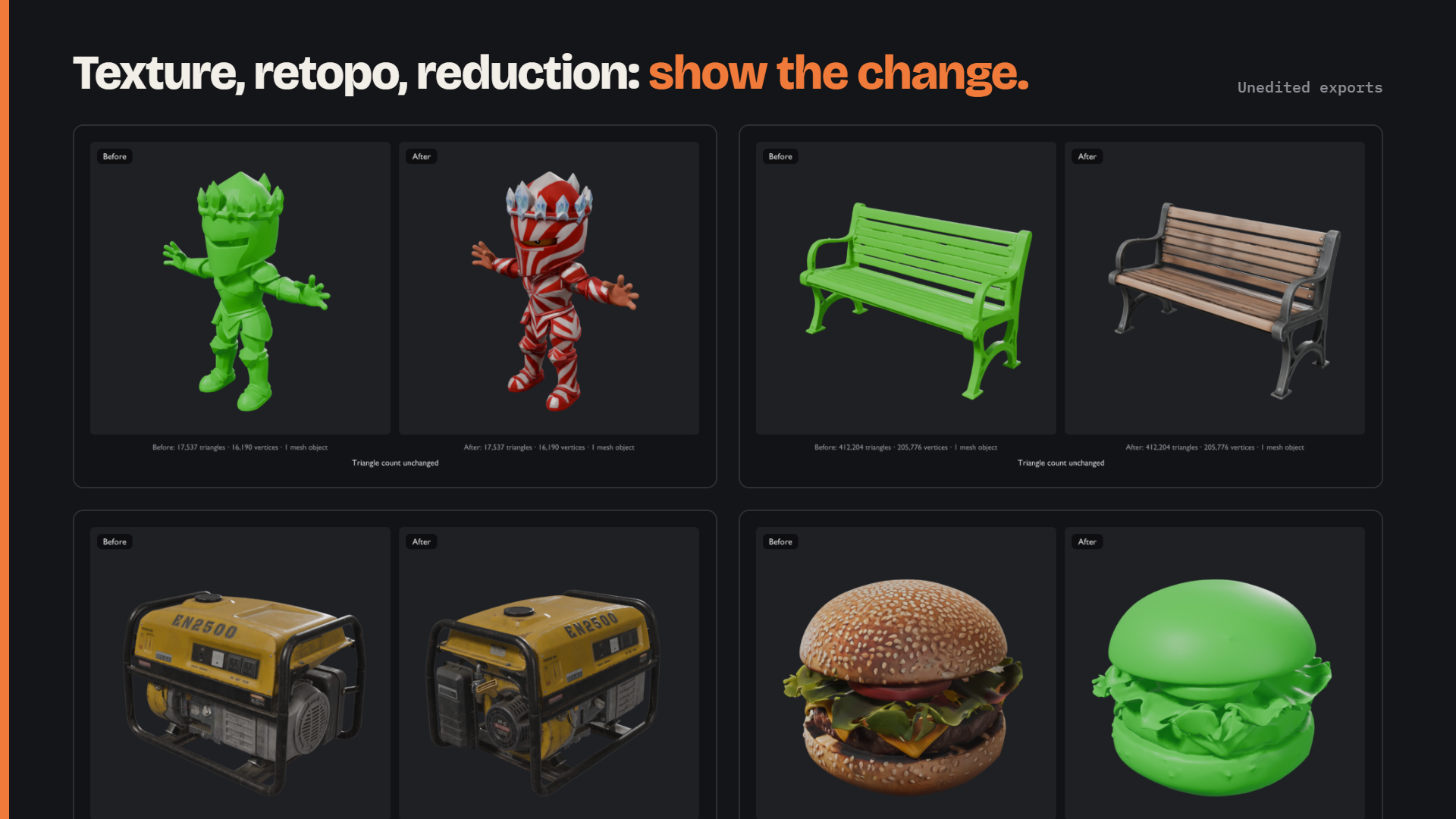
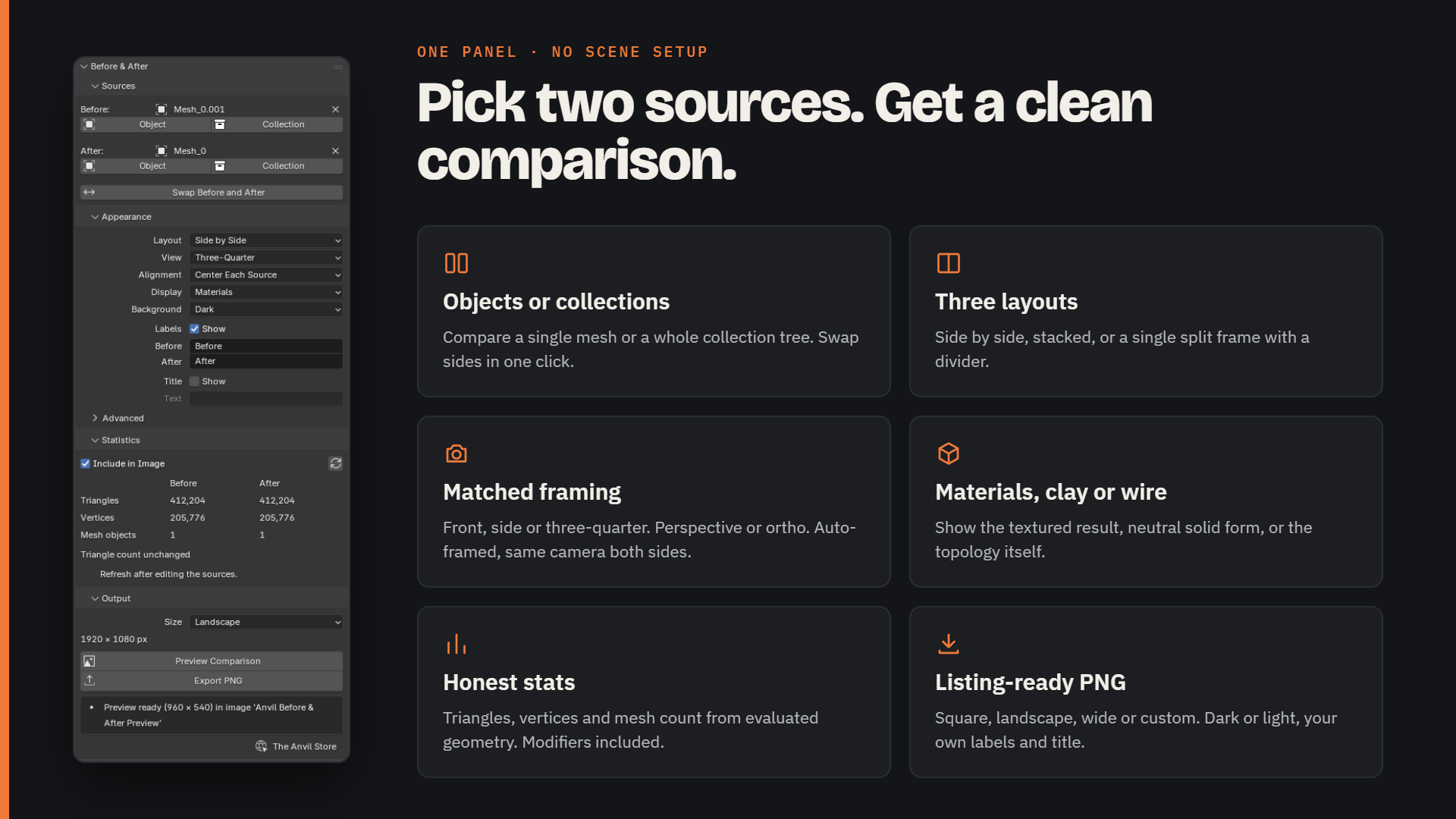
Decimated a hero asset? Retopologized a sculpt? Built an LOD? Before & After turns the original and the new version into a single, clean comparison image. Both sides use the same camera, the same lighting and the same scale, and the image shows the real triangle and vertex counts.
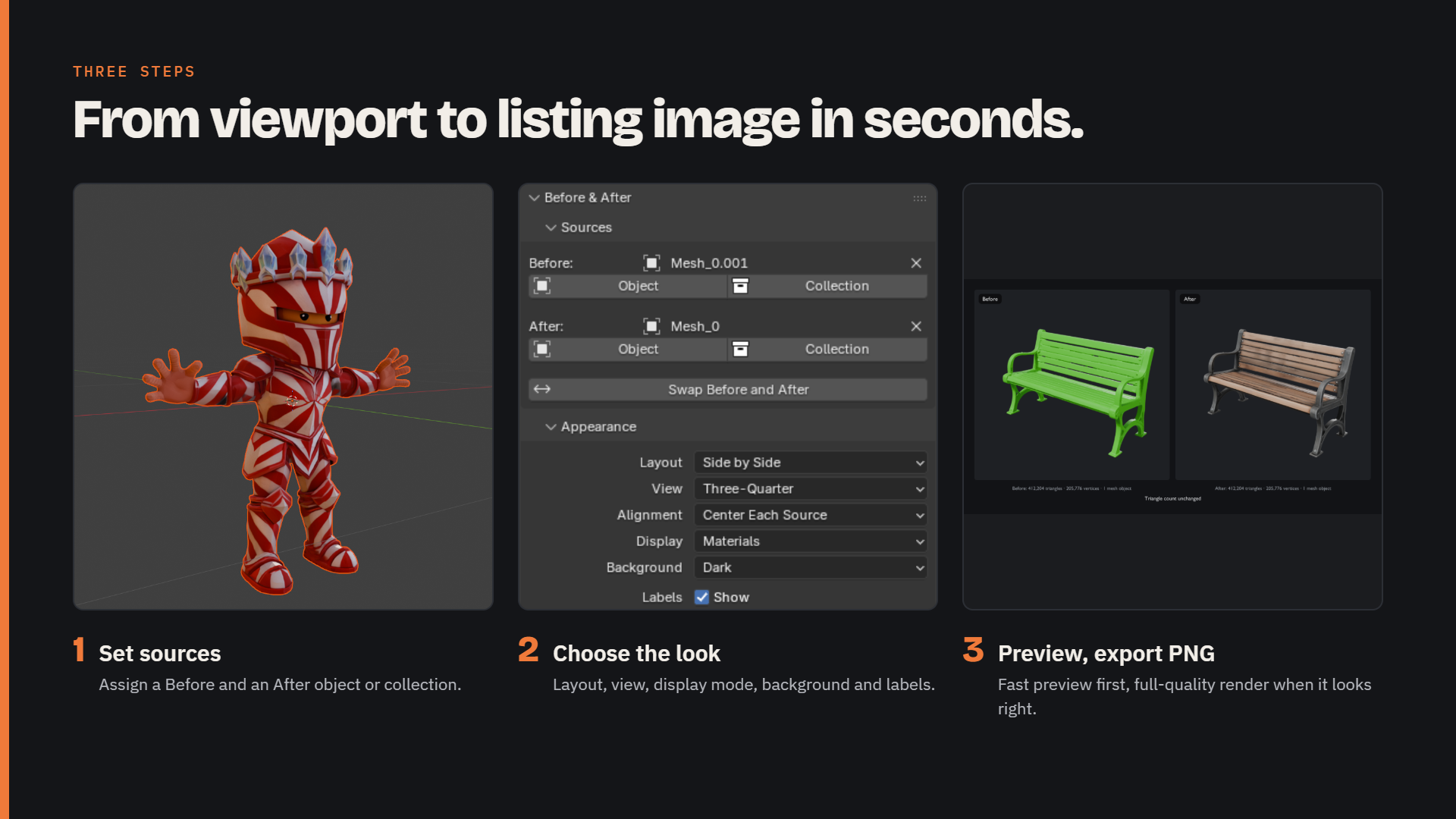
Pick your Before and After, choose a layout, press Export. That's it.
How it works
1
Select the original object or collection and click Before.
2
Select the modified one and click After.
3
Choose a layout, view and display style.
4
Click Preview Comparison to check it, then Export PNG.
It all lives in the 3D View sidebar: N › Anvil Before & After
Features
Three layouts
-
Side by side
-
Stacked
-
Split view with an adjustable divider
Three display modes
-
Materials: your original materials under a neutral studio light setup (EEVEE).
-
Neutral Solid: uniform grey shading for judging pure shape.
-
Wireframe: topology drawn over neutral shading.
Fair framing, every time
-
Both views share one camera, one light setup and the same colour management and exposure, so the comparison is like for like.
-
The camera is fitted once to both models together. Models are never scaled up individually to fill their frame, so size differences stay visible.
-
Center each source (the default) lines up models that sit in different places. Preserve relative placement keeps their real world positions.
-
Front, side and three-quarter views, in perspective or orthographic.
Accurate statistics
-
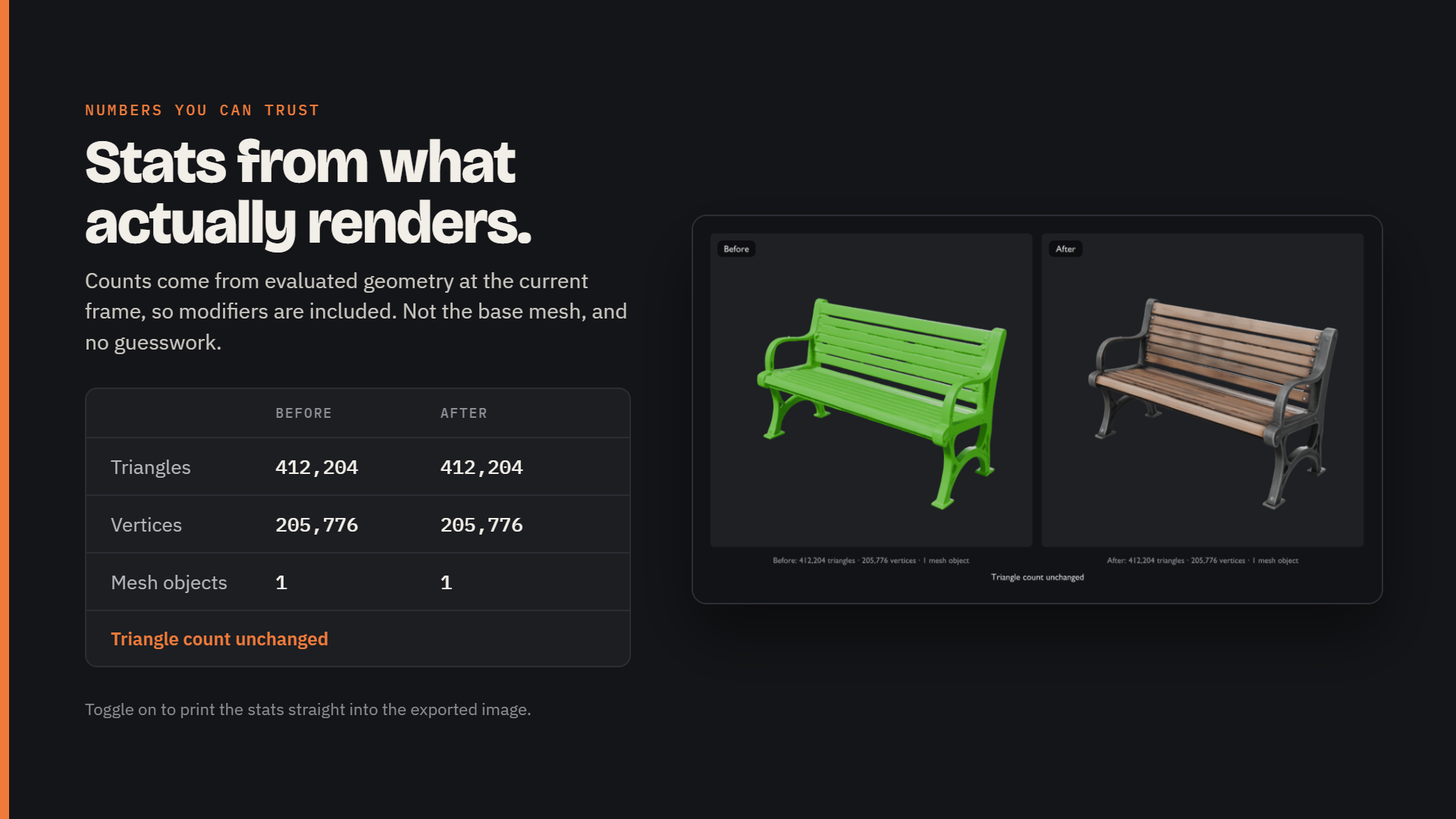
Triangle, vertex and mesh-object counts, taken from the model as you see it in the viewport, modifiers included.
-
True triangle counts. N-gons and quads are counted as the triangles they actually become, not as polygons.
-
Triangle reduction is shown as a clear percentage. If the After version has more triangles, it says so.
-
Collections, collection instances, particle instances and Geometry Nodes instances are all counted as they are rendered.
Before: 26,299 triangles · 14,812 vertices · 1 mesh object
Presentation-ready output
-
Square (1600×1600), Landscape (1920×1080), Wide (2000×1000) or a custom size up to 4096 px.
-
Editable Before/After labels and an optional title.
-
Dark and light backgrounds with clean, readable text.
-
An optional, small "Made with Anvil" credit. It's off by default, and there's no watermark.
Your scene stays untouched
-
Every render happens in a temporary, isolated scene built from copies of your models.
-
Your objects, materials, modifiers, cameras, lights, world, render settings and selection are never changed.
-
Everything temporary is cleaned up afterwards, even if you cancel or something fails.
Works offline
No account, no internet connection, no extra Python packagesWorks in unsaved projectsAsks before overwriting an existing file
Great for
Showing clients or art directors what an optimization pass achievedPortfolio and ArtStation breakdownsGame asset LOD and decimation comparisonsRetopology and cleanup before/after shotsTutorials and social media posts
Compatibility
-
Blender 4.2 LTS or newer.
-
Tested on Blender 4.2 LTS, 4.3, 4.4, 5.0 and 5.2 LTS (Windows).
-
Installs as a standard Blender extension: Edit › Preferences › Get Extensions › Install from Disk .
What's included
-
anvil_before_after-1.0.0.zip : the installable extension
-
A README with installation and usage instructions
Known limitations
Please read these before downloading:
-
Statistics and renders use the viewport version of your model. For example, a Subdivision Surface's viewport level is used, not its render level.
-
Rendering blocks Blender briefly while each image renders. Press Esc to cancel between steps. The first EEVEE render in a session can be slower while shaders compile.
-
Metaballs, hair curves, point clouds, volumes, Grease Pencil and hair particles are not included. You'll see a warning if your source contains them.
-
Materials are shown under the add-on's own studio lighting, not your scene's lights or world.
-
Still images only. No animation or video.
License
GPL-3.0-or-later, the standard license for Blender add-ons.
Support
Questions or bug reports: anvilinteractivesolutions@gmail.com, or visit theanvilstore.com
When reporting a problem, please include your Blender version and the message the add-on showed.
Changelog
1.0.0First release.